Read any
Japanese,
instantly.
Capture Japanese text from any app with real-time OCR, get instant dictionary lookups, and build your vocabulary with spaced-repetition study. Offline, private, on iPhone, iPad and Mac.
Download on theApp StoreFree to start · Pro from €0.99/month
要The core of Kiratoru
Live lookup, anywhere on screen
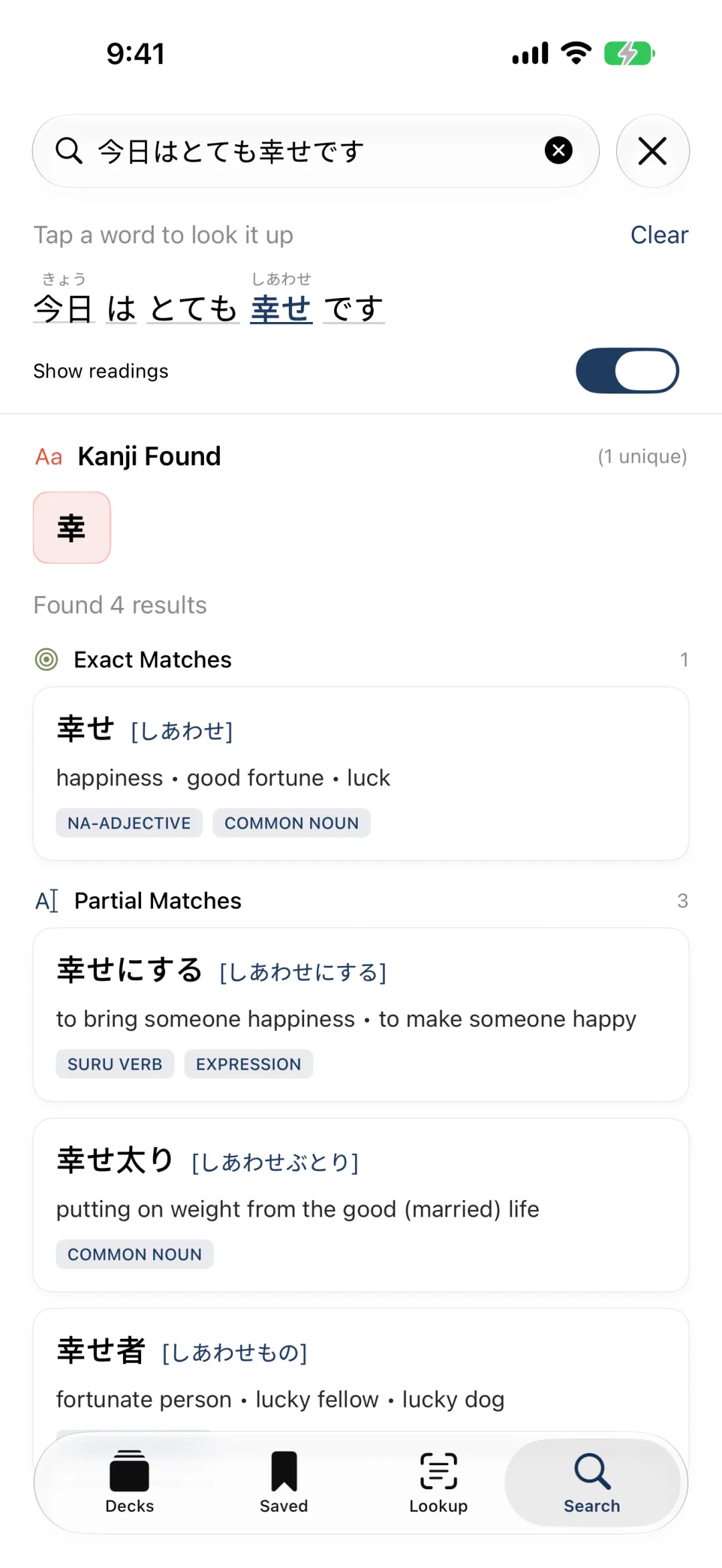
Point Kiratoru at any Japanese text — a game, a manga, a website — and it recognizes it in real time. No copy-paste, no switching apps. Definitions appear the moment the words do.
Get it on the App Store →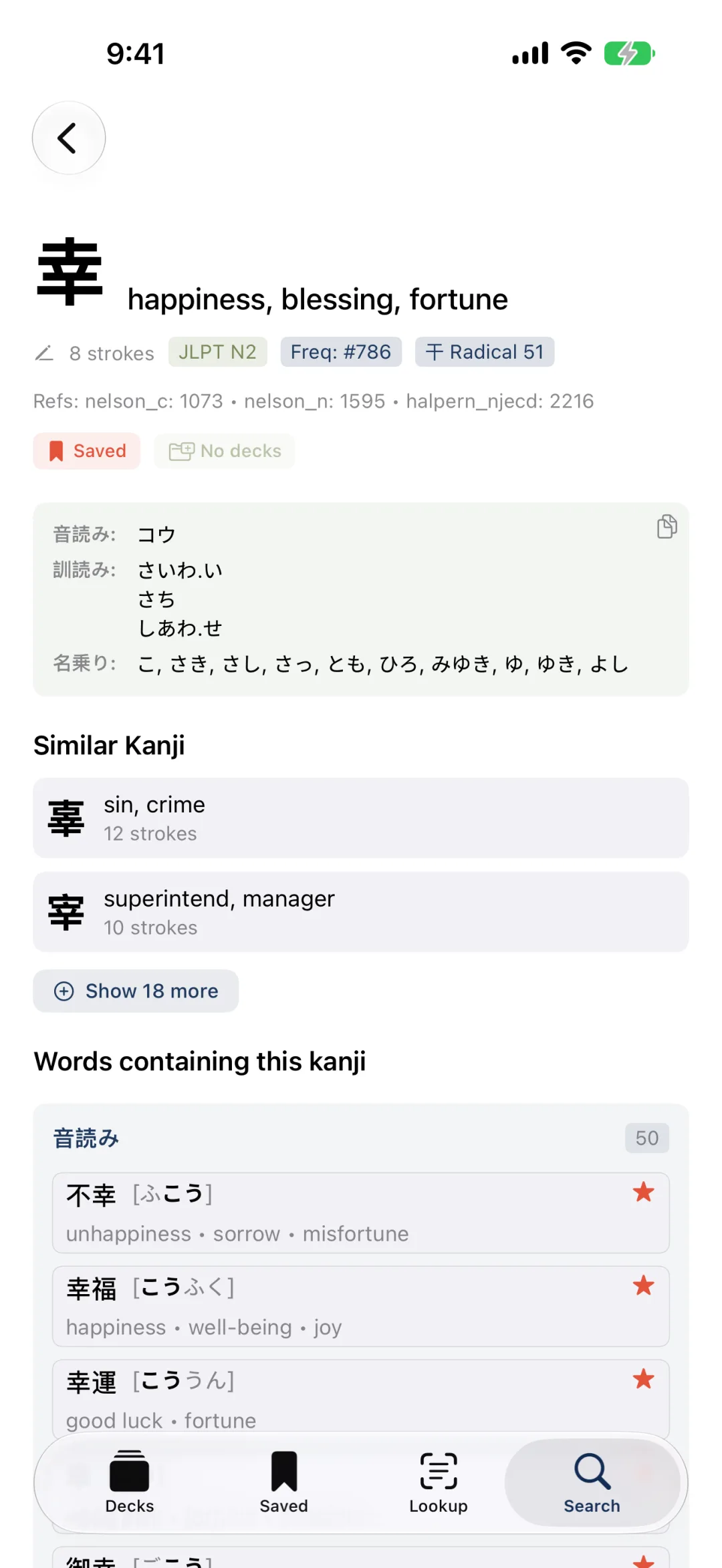
機能Everything in one app
From first glance to long-term memory
Furigana Overlay
On Mac, draw reading furigana right over the source window, so your eyes never leave the text. Tap any word in the overlay to look it up — perfect for games and anything that won't sit still.
Offline JMDict dictionary
Readings, meanings, part-of-speech, JLPT levels and example sentences — all bundled, all offline. No internet required to look anything up.
Tap any kanji or word
Every character and vocabulary item is clickable. Drill into a kanji, see the words that use it, and follow the threads as deep as your curiosity goes.
Decks & spaced repetition
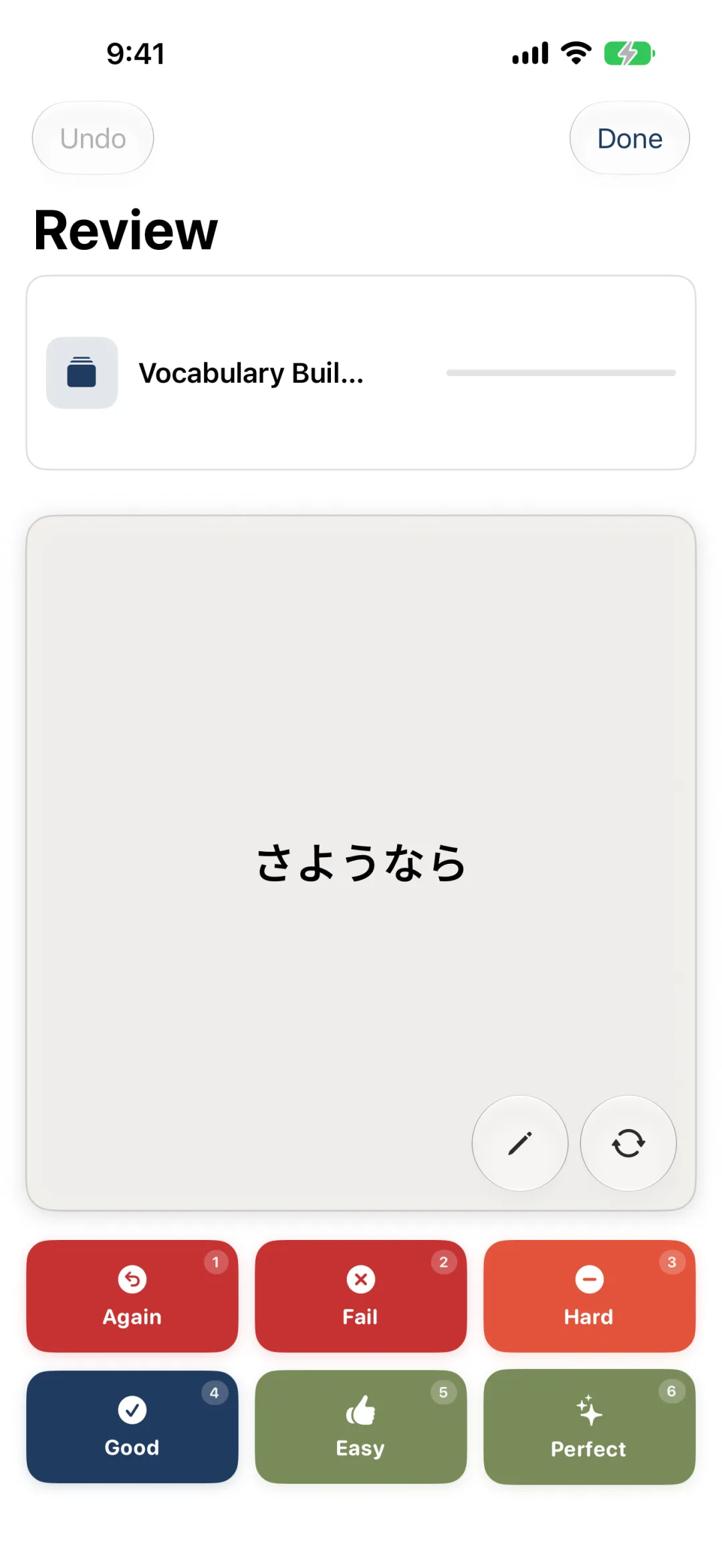
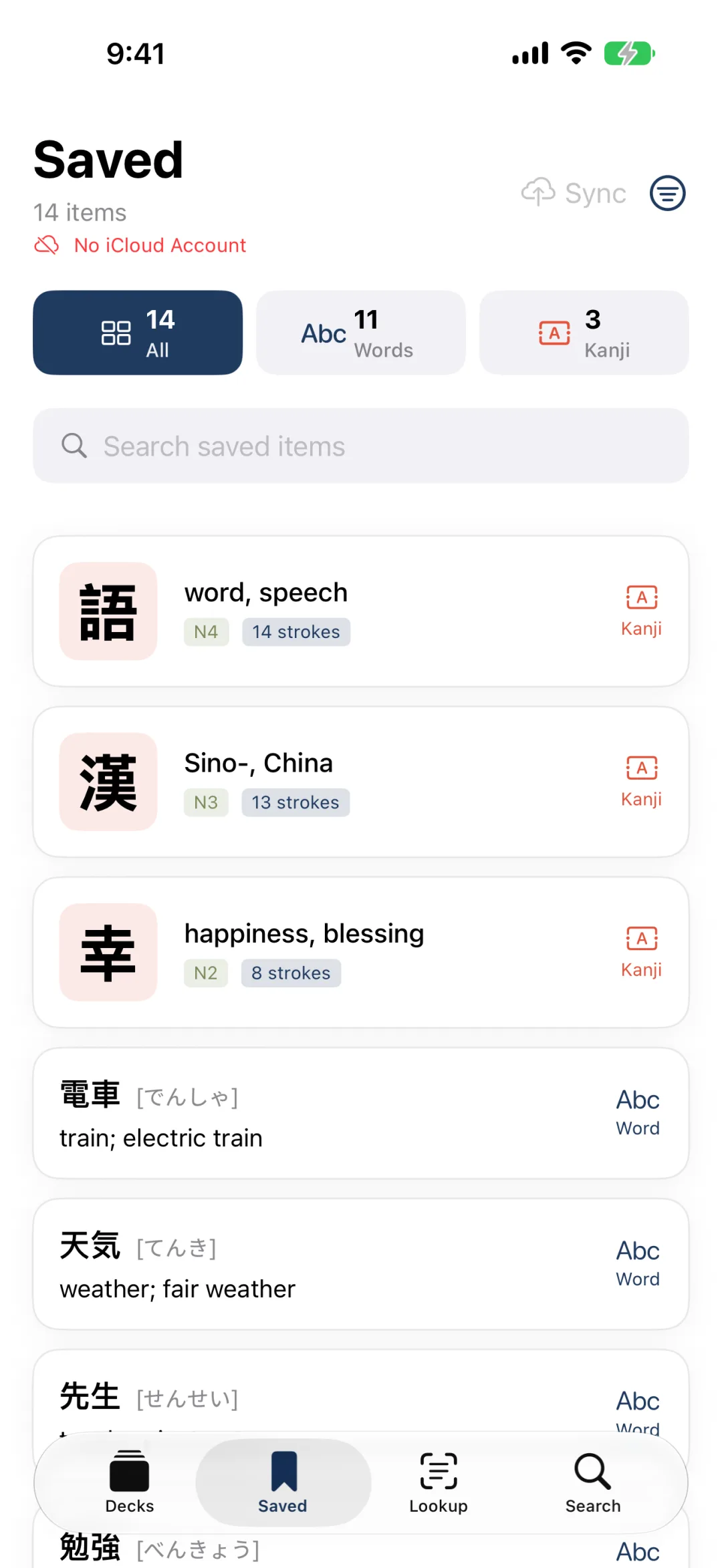
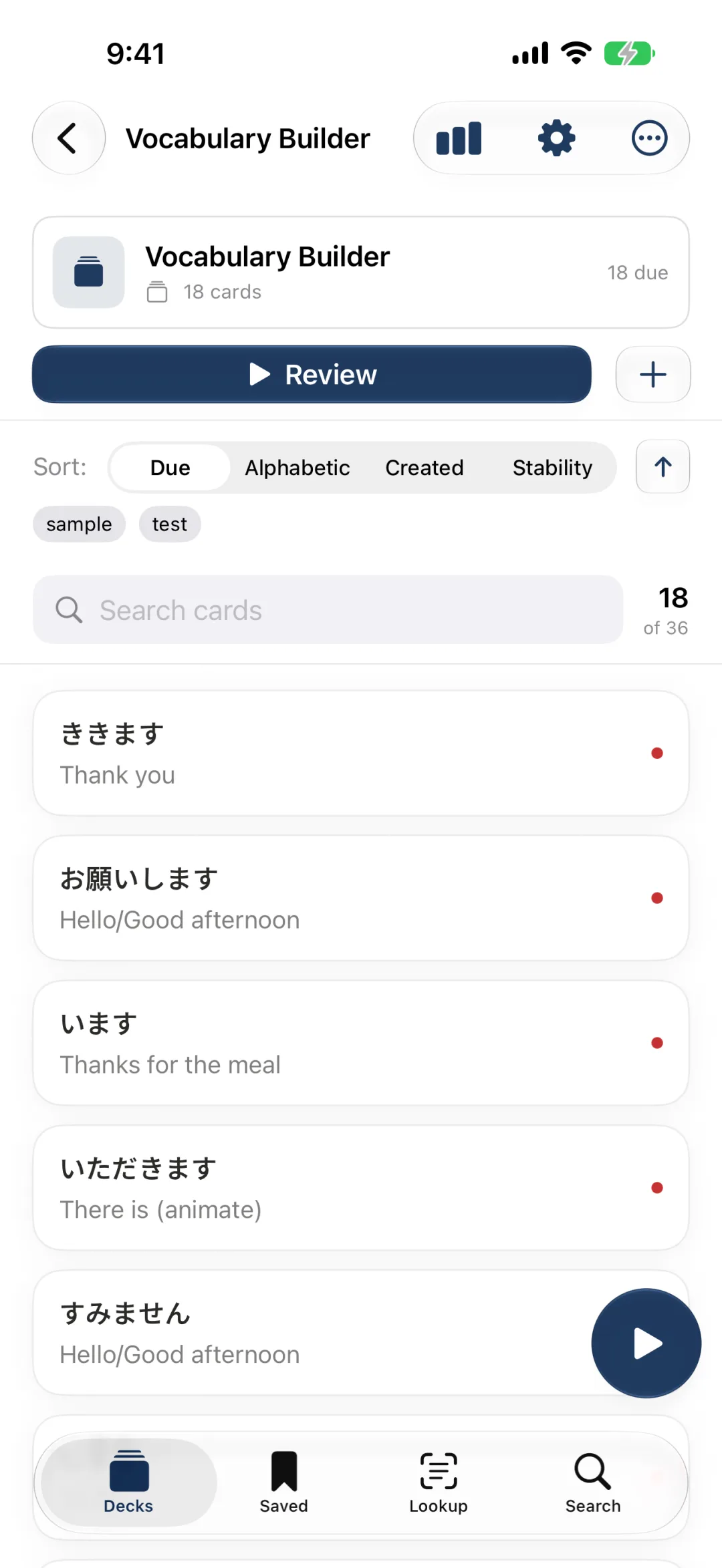
Save words and kanji into custom decks and review them on a modern spaced-repetition schedule that times each card for you and surfaces exactly what's due.
Camera OCR
Point your camera at a sign, a menu, or a page in a book and read it on the spot. Real-time text recognition from the live camera feed.
Screen capture & continuous mode
On Mac, capture any screen region and keep it live — perfect for games, streams and dynamic content that won't sit still.
Stash as you explore
Digging through a kanji and spot words worth keeping? Stash them. When you add that kanji to a deck, every stashed word comes along into the card's notes — then clears itself.
Home-screen widgets
Keep a word of the day and kanji of the day on your home screen, plus a review widget that lets you grade due cards without opening the app.
AI translation with context
Translate a captured sentence with full context using on-device Apple Intelligence — for the moments a word-by-word lookup isn't enough.
流れHow it works
Four steps, no friction
- 1
Capture
Aim at Japanese text with the camera, a screen region, or a screenshot.
- 2
Recognize
On-device OCR and MeCab break the text into words in real time.
- 3
Look up
Tap any word or kanji for instant offline dictionary definitions.
- 4
Study
Save what matters into decks and review it with spaced repetition.
料金Pricing
Start free, upgrade when ready
Free
Everything you need to start reading.
€0
- Live & manual lookup
- Unlimited saved words & kanji
- Offline JMDict dictionary
- Build decks and add cards
- Basic definitions
Pro
Unlock the Furigana Overlay, review and the full dictionary.
€10.99/year
- Everything in Free
- Furigana Overlay (Mac)
- Spaced-repetition review
- Tap any kanji or word to explore
- Full dictionary details, unblurred
- AI translation with context
- Home-screen widgets
質問FAQ
Questions, answered
Stop guessing. Start reading.
Download Kiratoru and turn any Japanese text into something you understand — and remember.